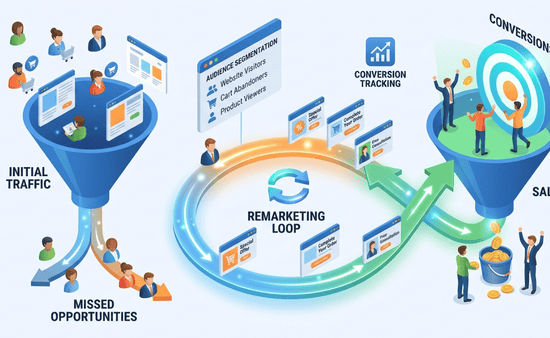
When I first started running ads, I focused only on getting new visitors. Traffic was coming in.
But conversions were inconsistent. That’s when I realized something important—most users don’t convert on the first visit.
They need reminders. Learning remarketing strategies for ppc completely changed my results. Instead of losing potential customers, I started bringing them back—and converting them.
If you’re spending money on ads and not retargeting users, you’re leaving results on the table.
Key Takeaways
- Most users need multiple touchpoints before converting
- Remarketing helps you re-engage interested users
- It increases conversion rates without increasing traffic
- Targeting the right audience improves efficiency
- Smart remarketing reduces wasted ad spend
What Is Remarketing in PPC (Simple Explanation)
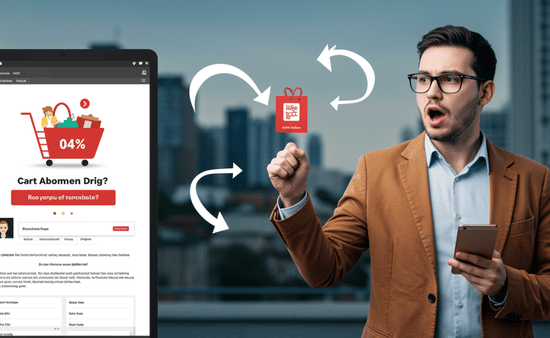
Remarketing means showing ads to people who have already interacted with your website or ads.
For example:
- Someone visits your website but doesn’t convert
- You show them ads again later
- They return and complete the action
It’s about staying visible and reminding users to take action.
Why Remarketing Is So Powerful
Cold traffic is harder to convert. Warm traffic converts faster. When I started remarketing, I noticed:
- Higher conversion rates
- Lower cost per conversion
- Better overall campaign performance
Remarketing works because users are already familiar with your brand.
Step 1: Set Up Remarketing Audiences
Before running remarketing ads, you need to define your audience.
I create audiences based on:
- Website visitors
- Product viewers
- Cart abandoners
- Past converters
Each group behaves differently, so targeting them separately improves results.
Step 2: Use Conversion Tracking to Build Audiences
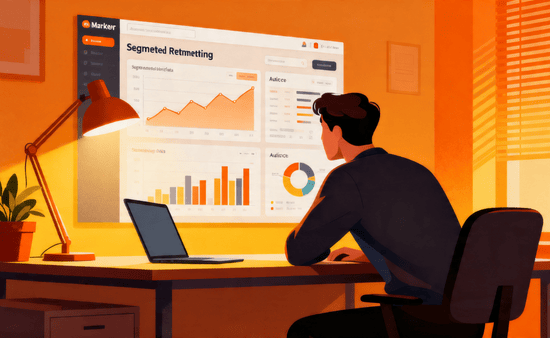
Remarketing depends on accurate data.
I always ensure:
- Conversion tracking is active
- Audience lists are properly set up
- User behavior is tracked
If you haven’t done this yet, start here: ppc conversion tracking setup guide
Without tracking, remarketing cannot work effectively.
Step 3: Segment Your Audience for Better Results
Not all visitors are the same.
I divide audiences into segments:
- High intent users (visited pricing page)
- Medium intent users (browsed services)
- Low intent users (visited homepage)
This helps me create targeted ads for each group. More relevant ads lead to higher conversions.
Step 4: Create Ads That Match User Intent
Remarketing ads should feel personalized.
I tailor messages based on user behavior.
For example:
- For cart abandoners: “Complete your purchase today”
- For service visitors: “Get a free consultation”
Generic ads don’t work as well here. Relevance is everything.
Step 5: Set Frequency and Timing Properly
Showing ads too often can annoy users. Showing them too little reduces impact. I balance frequency by:
- Limiting daily impressions
- Setting proper audience duration
- Timing ads based on user behavior
This keeps campaigns effective without overwhelming users.
Step 6: Optimize Bidding for Remarketing Campaigns
Remarketing audiences are more valuable. I often:
- Increase bids for high-intent users
- Focus on conversion-based bidding
- Monitor cost per conversion closely
If your costs are high, combine this with: reduce ppc cost without losing traffic
Better targeting leads to better efficiency.
Step 7: Use Data to Improve Remarketing Performance
Remarketing campaigns provide valuable insights. I analyze:
- Which audiences convert best
- Which ads perform well
- Where users drop off
If you want deeper insights, explore: google ads analytics for beginners
Data helps refine your strategy continuously.
Step 8: Test Different Remarketing Strategies

No single approach works for every campaign.
I test:
- Different ad creatives
- Various audience segments
- Different offers
Testing helps identify what works best for your audience.
Common Mistakes in Remarketing Campaigns
I’ve made these mistakes before:
- Not segmenting audiences
- Using generic ad copy
- Over-targeting users
- Ignoring frequency limits
- Not updating audience lists
Avoiding these mistakes improves campaign performance significantly.
How Long Does It Take to See Results?
From my experience:
- First week: audience building
- 2–3 weeks: initial results
- 1–2 months: optimized performance
Remarketing improves over time as data increases.
What Actually Makes Remarketing Work
Here’s what I learned:
Remarketing works when it feels relevant.
- Relevant audience
- Relevant message
- Relevant timing
When these align, conversions increase naturally.
Frequently Asked Questions
1. What is the main goal of remarketing in PPC?
The main goal is to re-engage users who have already shown interest and encourage them to complete a conversion.
2. Is remarketing effective for small businesses?
Yes, it is one of the most cost-effective strategies because it targets users who are already familiar with your brand.
3. How long should I run remarketing campaigns?
It depends on your sales cycle, but most campaigns perform well with audience durations between 7 and 30 days.
4. Can remarketing reduce PPC costs?
Yes, because it targets high-intent users, it often leads to higher conversion rates and lower cost per conversion.
A Smarter Way to Convert More with the Same Traffic
Using remarketing strategies for ppc changed how I approach advertising. I stopped focusing only on new users and started maximizing existing traffic. That shift increased my conversions without increasing spend.
If you build the right audiences, create relevant ads, and optimize consistently, you won’t just run campaigns.
You’ll turn missed opportunities into real results.