I still remember the first time I tried setting up a WordPress site. It felt simple on the surface, but once I got into hosting, themes, and plugins, it quickly became overwhelming. There were too many choices, too many “recommended tools,” and not enough clarity on what actually mattered.
Over time, after setting up multiple sites and fixing early mistakes, I realized something important: WordPress isn’t hard, it’s just poorly explained. When you break it down into the right steps and understand why each step matters, the whole process becomes straightforward and even enjoyable.
Start With The Foundation (Domain And Hosting)
Everything begins here. If this part is rushed or poorly chosen, it creates problems later, such as slow speed, downtime, or limited flexibility.
A domain name is your website’s identity. Keep it short, easy to remember, and clean. Names that are hard to spell or too long usually don’t stick.
Hosting is where most beginners go wrong. Cheap hosting sounds attractive, but it often leads to slow load times and frustrating support. A better approach is to choose a reliable provider that offers managed WordPress hosting. This takes care of technical maintenance in the background.
Also, make sure you’re using the self-hosted version of WordPress. This gives full control over customization, plugins, and monetization.
Install WordPress The Easy Way
This is where most people expect complexity, but honestly, this part is now the easiest.
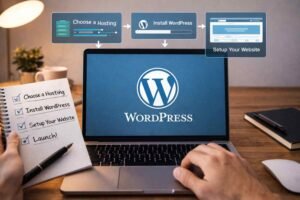
Most hosting providers offer a one-click installation. You just log into your dashboard, click install, and follow a few prompts. Within minutes, your site is live.
One thing that often gets ignored here is security at the start. Avoid using “admin” as your username. It’s the first thing attackers try. Set a strong password from the beginning; it saves trouble later.
Once installed, you’ll access your dashboard through /wp-admin. This is where everything happens moving forward.
Configure The Essential Settings First
Before jumping into design or content, take a few minutes to set things up properly. This step is often skipped, but it makes a huge difference.
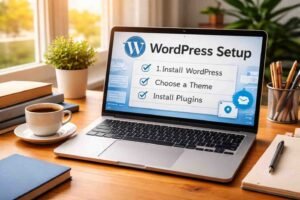
Here are the most important settings to fix early:
- Permalinks: Change to “Post name” so your URLs are clean and readable
- Site Title and Tagline: Set a clear identity for your site
- Timezone: Important if you plan to schedule posts
- Homepage Settings: Set a static homepage instead of showing blog posts by default
These small adjustments make your site look more professional and improve SEO from day one.
Design Your Site With The Right Theme

This is the part most people get excited about, but also where they overcomplicate things.
A theme controls how your site looks and feels. You don’t need something flashy. You need something fast, clean, and flexible.
Themes like Astra, GeneratePress, or OceanWP are popular because they are lightweight and easy to customize. Once installed, you can use the built-in customizer to adjust colors, fonts, layout, and upload your logo.
The mistake I made early on was constantly switching themes. It wastes time. Pick one solid theme and stick with it.
Add Functionality With Essential Plugins

Plugins are powerful, but too many can slow your site down. The goal is not to install everything; it’s to install only what you actually need.
Focus on the essentials:
- SEO plugin: Helps your site appear in search results
- Security plugin: Protects against malware and login attacks
- Backup plugin: Automatically saves your site data
- Speed optimization plugin: Improves loading time
Think of plugins like tools. The right few will help you grow. Too many will create problems.
Create Your Core Website Pages
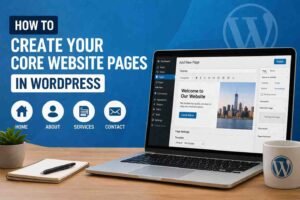
Once your setup is ready, it’s time to build the basic structure of your site. These are the pages every website needs.
Start with:
- Home page: Your first impression
- About page: Who you are and what you do
- Contact page: A simple way for people to reach you
- Privacy Policy: Required for most modern websites
Don’t overthink these pages in the beginning. Keep them simple and improve them over time.
What Most People Don’t Realize After Setup
Here’s something I wish someone told me earlier: setting up WordPress is just the beginning.
What really matters is what you do next:
- Keep your plugins updated
- Regularly back up your site
- Improve page speed over time
- Start publishing useful content
A lot of people stop right after setup, expecting traffic to come automatically. It doesn’t work that way. The real progress starts after your site goes live.
Common Beginner Mistakes To Avoid
This is where most people struggle, especially during their first setup.
- Choosing the cheapest hosting without thinking long-term
- Installing too many plugins
- Ignoring basic settings like permalinks
- Switching themes repeatedly
- Not setting up backups early
Avoiding these alone can save hours of data-driven content strategy and frustration.
FAQs: WordPress Setup Step By Step: Build Your Site The Right Way
1. What is the easiest way to complete the WordPress setup step by step?
The easiest way is to use a hosting provider that offers one-click WordPress installation. It removes technical complexity and gets your site live within minutes.
2. Do I need coding skills for the WordPress setup step-by-step?
No, you don’t need coding skills. WordPress is designed for beginners, and most tasks can be done through the dashboard.
3. How long does WordPress ‘ setup step-by-step take?
For a basic setup, it usually takes 1–2 hours. If you spend time customizing design and content, it may take longer.
4. Which is better for beginners: WordPress.com or WordPress.org?
WordPress.org is better if you want full control, flexibility, and the ability to grow your site without limitations.
Final Thoughts
Setting up WordPress isn’t difficult once you understand the flow. The confusion usually comes from too many options and not enough clarity. When you focus on the essentials, solid hosting, clean setup, minimal plugins, and a simple structure, you create a strong foundation that actually supports growth.
Once your site is live, don’t aim for perfection. Keep improving as you go.